 Burrow
Your app’s container.
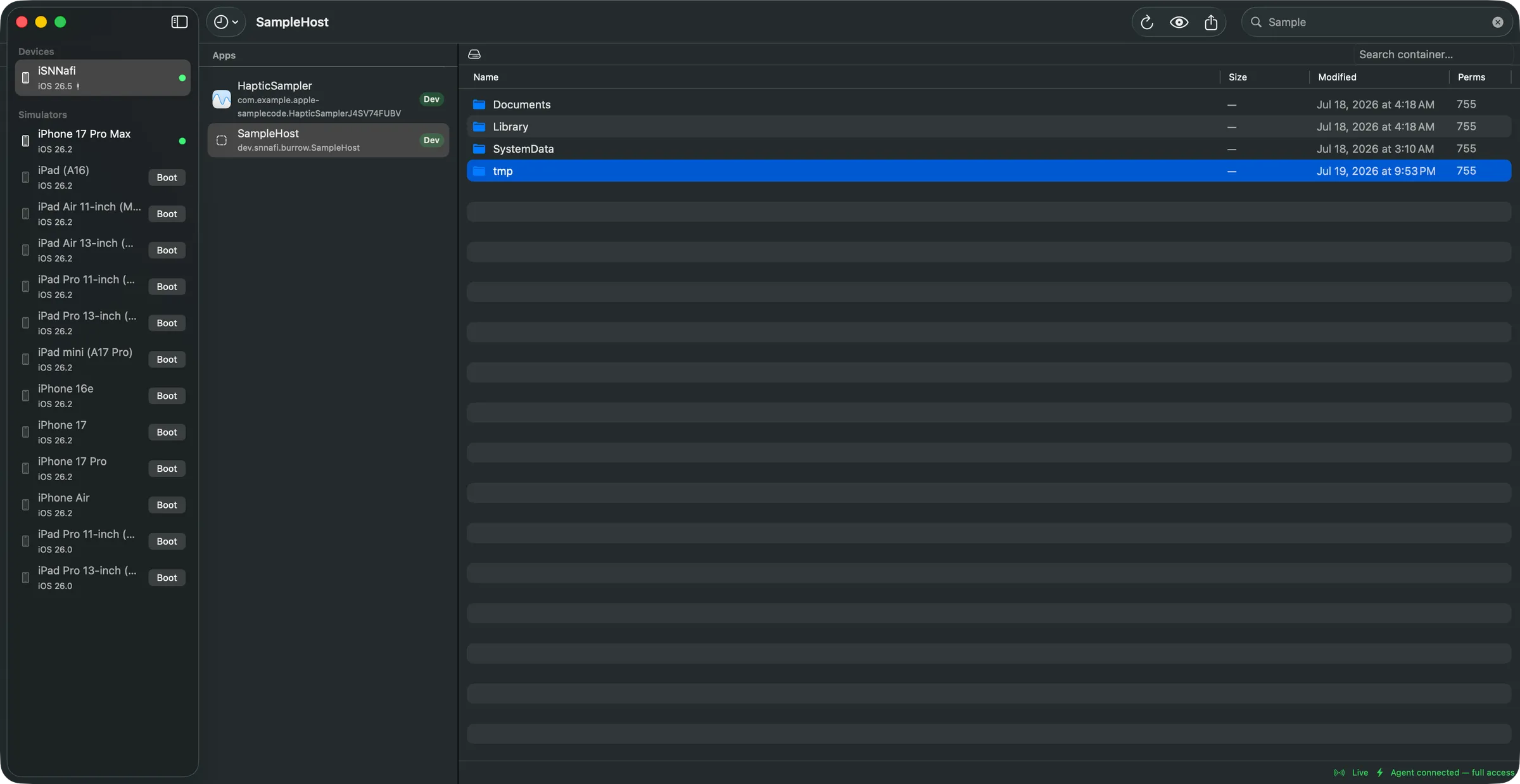
On a real iPhone. Live.
In the Simulator an app’s data container is just a folder. On a physical device it’s locked
behind .xcappdata bundles and hand-typed devicectl flags — with no
delete command at all. Burrow gives you the Simulator experience for real hardware: browse,
pull, replace, edit and delete, with live refresh as your app writes.
Xcode gives you a bundle
Devices & Simulators downloads the entire container as one
.xcappdata, then wants the whole thing back after you edit a single file.
devicectl means typing UDIDs
Apple’s CLI can list, pull and push — behind hand-typed UDIDs, bundle IDs and domain flags. And it has no delete command whatsoever.
So you guess
Add logging, rebuild, reproduce, repeat — because looking at the database the app actually wrote is harder than it should be.
Built for the file you need, right now
Pick a device, pick a development-signed app, and the container opens like a Finder window. Every operation below runs against real hardware — no jailbreak, no private API.
Pull it out, push it back
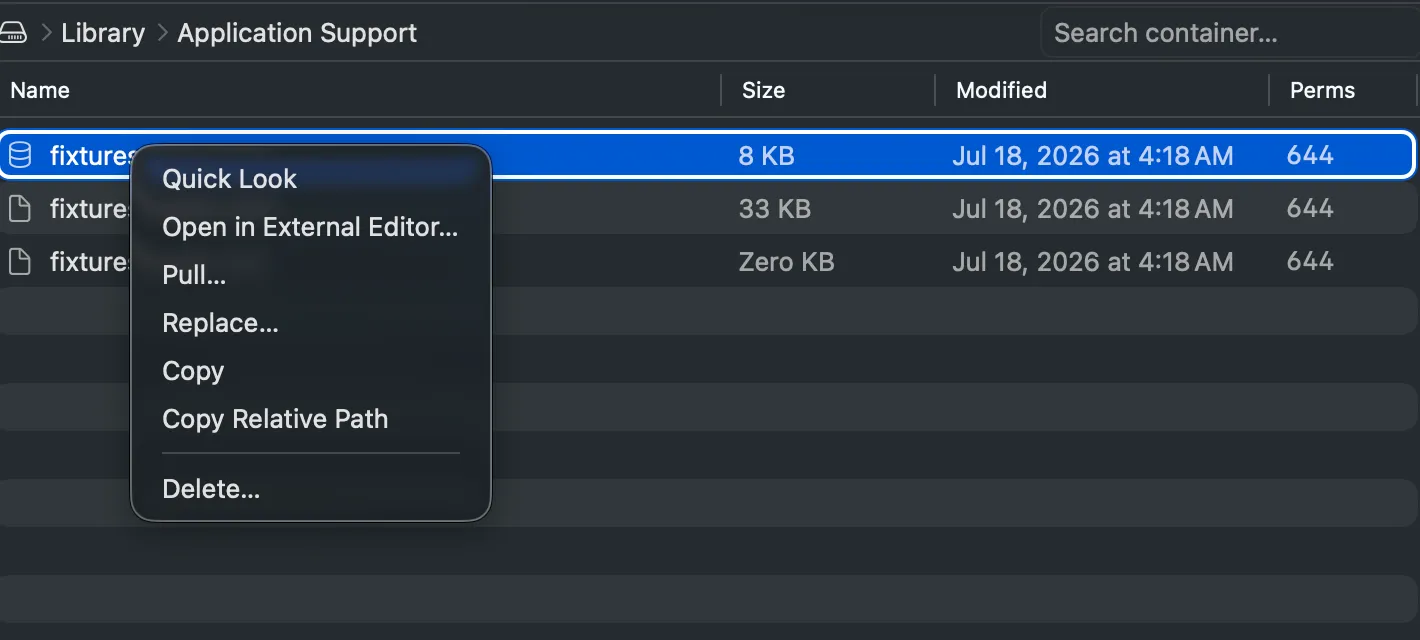
Grab a single file instead of the whole container. Quick Look it, drag it to your desktop, or replace it in place and relaunch the app to see the new state.
- Pull files or entire folders to anywhere on your Mac.
- Drag out to Finder — content transfers on drop, not on grab.
- Replace with an overwrite confirmation, atomic when the agent is present.
- Drop files or folders back in; folder drops merge, and collisions ask first.
- Case- and Unicode-collision guard on pulls —
a.txtandA.txtcan’t silently merge into one. - Pulled a database? Open it in Chwilio, a native macOS SQLite editor, then drop it back in.
⌘C and ⌘V, in both directions
Copy a file off the device and paste it straight into Finder. Copy something in Finder and paste it into the container. The clipboard finally crosses the cable.
- Device → Finder: ⌘C writes real file URLs, so Finder’s own paste just works.
- Finder → device: ⌘V uploads into the folder you’re looking at.
- Device → device transfers nothing through your Mac at all.
- Name conflicts resolve the way Finder does —
foo copy.json, thenfoo copy 2.json. - Paste targets are fixed when you hit ⌘V, so navigating mid-copy can’t redirect files.
A real editor, built in
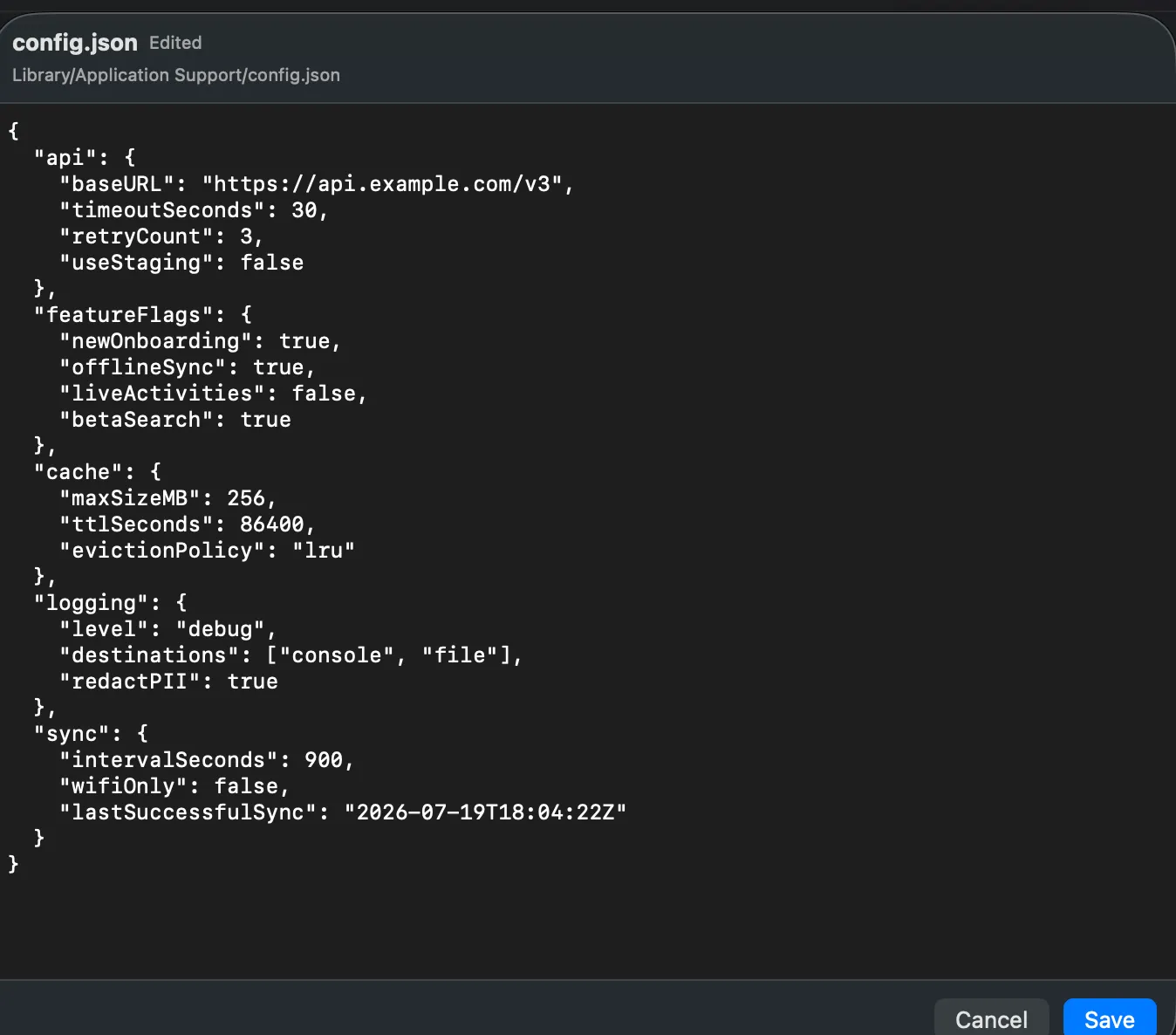
Flip a feature flag in a JSON config without pulling, opening, saving and pushing it back. Double-click a text file and it opens right here; Save pushes it to the device.
- Opens JSON, plists, logs, Markdown, .strings and friends up to 100 KB.
- Binary plists become editable XML and are written back in their original format.
- JSON is validated as you type — you’re warned before you push something broken.
- Smart quotes and dashes are off, so a quote stays
"and never becomes”. - If the file changed on the device while you were typing, the banner says so before you overwrite it.
- Archived object graphs (NSKeyedArchiver) are refused — hand-editing those corrupts them.
Delete — the thing devicectl can’t do
Wipe a cache, drop a corrupt database, clear onboarding state. With the agent installed it’s instant; without it, Burrow falls back to a heavily guarded sync.
- Delete files, folders or a multi-selection in one shot.
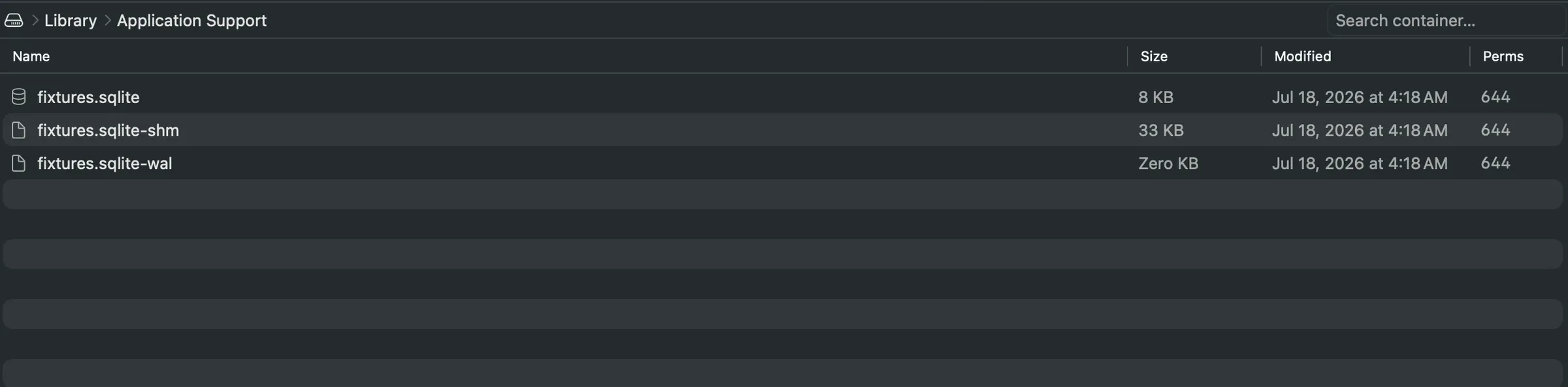
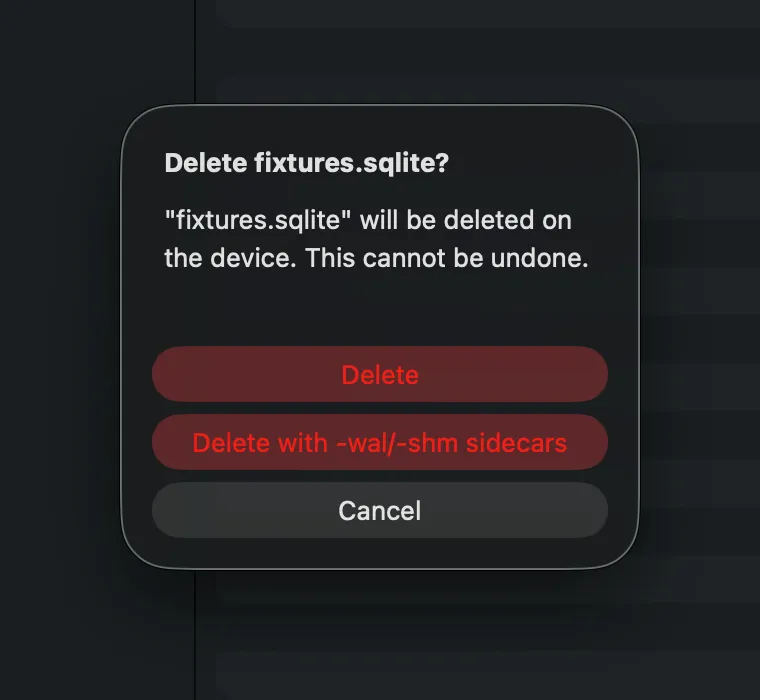
- SQLite sidecars in one action —
-waland-shmgo with the database. - Agent-free fallback pulls, backs up, verifies and can roll the whole thing back.
- That fallback refuses anything risky: the container root, symlinks, >50 MB, >500 entries, or names that collide on your Mac’s filesystem.
- The container root and top-level
Documents/Library/tmpare protected outright.
Find it without knowing where it lives
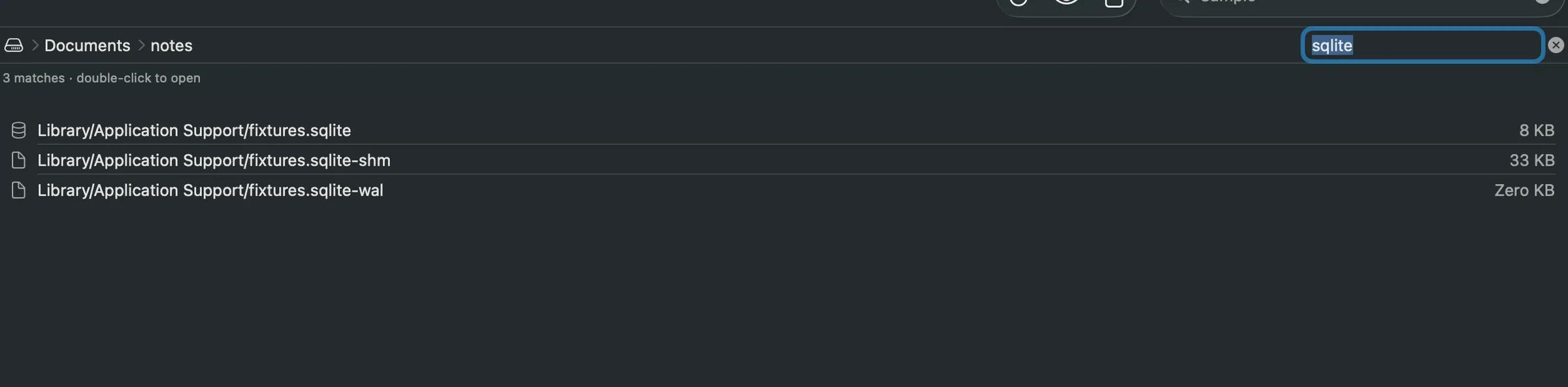
Containers get deep. Search the whole thing at once and jump straight to the match
instead of clicking down five levels of Library.
- Container-wide recursive search with full relative paths.
- Double-click a result to open the folder it lives in.
- Cache-instant navigation for folders you’ve already visited.
- Recents menu remembers your last 10 device + app pairs.
- Hidden files toggle, sortable size / modified / permission columns.
⚡ Live refresh
With the agent, a file your app writes shows up in about a second — pushed, not polled. Without it, the open folder re-lists every 5 seconds.
✎ Open in your own editor
Pull a file into your default app and every save is pushed straight back to the device — vim, TextEdit and Xcode saves all caught.
▶ Simulators too
The same browser over Simulator containers, natively and with no agent. Shutdown simulators get a Boot button.
◎ Multi-select & bulk
Pull or delete many items at once. Paths are locked in when the operation starts, so navigating mid-batch can’t misroute it.
⌖ Straight answers on failure
Device locked, Developer Mode off, app not running, unpaired — each gets its own banner and the actual fix, not a generic error.
↻ Auto-updates
Signed with a Developer ID, notarized by Apple, and updated in place through Sparkle.
Works without touching your app. Better with one line.
Every backend advertises what it can do, and the UI enables actions from that — so an app without the agent degrades gracefully instead of failing halfway through.
| Capability | Device, no agent | Device + BurrowAgent | Simulator |
|---|---|---|---|
| Browse, search, Quick Look | Yes | Yes | Yes |
| Pull & drag out | Yes | Yes | Yes |
| Copy & paste | Yes | Yes | Yes |
| Built-in text editor | Yes | Yes | Yes |
| Replace / drop in | Yesdirect write | Yesatomic | Yesatomic |
| Delete | Guarded syncbackup + verify + rollback | Instantsidecars, multi-select | Instant |
| Live refresh | Pollingevery 5 s | Push~1–2 s | Instantlocal kqueue |
| Auto-push on external save | Yes | Yesatomic | Yes |
One line, debug builds only
An open-source Swift package you add to your own app. It unlocks delete, atomic replace and
push-based live refresh — and it compiles to nothing outside DEBUG.
// Xcode ▸ File ▸ Add Package Dependencies… ▸ paste the URL
// or, in Package.swift:
.package(url: "https://github.com/SNNafi/BurrowAgent", from: "1.0.0")# Podfile — keep it out of release builds
pod 'BurrowAgent', '~> 1.0', :configurations => ['Debug']#if DEBUG
import BurrowAgent
#endif
@main
struct MyApp: App {
init() {
#if DEBUG
BurrowAgent.start()
#endif
}
var body: some Scene {
WindowGroup { ContentView() }
}
}#if DEBUG
import BurrowAgent
#endif
func application(
_ application: UIApplication,
didFinishLaunchingWithOptions options: [UIApplication.LaunchOptionsKey: Any]?
) -> Bool {
#if DEBUG
BurrowAgent.start()
#endif
return true
}// ios/Runner/AppDelegate.swift
import Flutter
import UIKit
#if DEBUG
import BurrowAgent
#endif
@main
@objc class AppDelegate: FlutterAppDelegate {
override func application(
_ application: UIApplication,
didFinishLaunchingWithOptions options: [UIApplication.LaunchOptionsKey: Any]?
) -> Bool {
#if DEBUG
BurrowAgent.start()
#endif
GeneratedPluginRegistrant.register(with: self)
return super.application(application, didFinishLaunchingWithOptions: options)
}
}#if DEBUG plus a runtime guard, so it
cannot ship in a release build. It uses only public API — an app writing to its own
container — and never runs on a device you haven’t paired and put into Developer Mode.
Apple’s own interfaces, all the way down
No jailbreak, no private API, nothing injected into your app that you didn’t add yourself.
Discovery, listing, pull and push run through devicectl
Burrow shells out to xcrun devicectl in JSON mode — the only interface
Apple documents as programmatic — and never parses human-readable output.
Delete and atomic replace go through a command mailbox
Because devicectl has no delete, BurrowAgent watches a folder at
tmp/.burrow/ inside your app’s own container. Burrow writes a command
file; the agent validates and executes it with plain FileManager.
Darwin notifications are the doorbell
A notification carries a name and no payload, so it only tells the agent to check its mailbox — the commands themselves travel as files. Results come back the same way.
Live refresh is a kqueue watcher ringing back
The agent watches the folder you’re looking at and rings when its contents change. Burrow re-lists, debounced and diffed, so the table updates without flickering.
Everything is validated on both ends
Paths are canonicalised and confined to the container, system roots are protected, symlinks are never followed, and stale commands expire after 60 seconds so a dead session can’t execute a delete on your app’s next launch.
What you need
devicectl ships inside Xcode.app — the Command Line Tools alone aren’t enough.
Paired and trusted, Developer Mode on, and unlocked while you’re working.
Installed from Xcode. Any language or framework — Swift, Objective-C, Flutter, React Native.
One line in your debug build unlocks delete, atomic replace and push live refresh.
Questions worth asking
Do I have to modify my app to use Burrow?
No. Browsing, searching, Quick Look, pull, replace, copy, paste and the built-in editor all work against any development-signed app with nothing added.
Adding BurrowAgent to your debug build unlocks the three things devicectl can’t do on its own: instant delete, atomic replace, and push-based live refresh (~1–2 s instead of 5 s polling).
Will BurrowAgent end up in my App Store build?
No. The whole implementation is wrapped in #if DEBUG and backed by a
runtime guard, so in a release configuration it compiles to nothing. With CocoaPods you
can also pin it to the Debug configuration so it never links into release at all:
# Podfile — keep it out of release builds
pod 'BurrowAgent', '~> 1.0', :configurations => ['Debug']My #if DEBUG gate isn’t working — the agent never connects
This is the most common setup problem, and it’s almost always a Flutter or hand-edited
project whose Debug configuration never defines the DEBUG compilation
condition. Your #if DEBUG block silently compiles to nothing, so
BurrowAgent.start() is never called and Burrow reports no agent.
The Debug configuration needs this build setting:
SWIFT_ACTIVE_COMPILATION_CONDITIONS = "$(inherited) DEBUG";To check or fix it in Xcode:
- Open
ios/Runner.xcworkspace(the workspace, not the project). - Select Runner in the project navigator (left sidebar, top group).
- In the center panel, select the Runner target.
- Go to the Build Settings tab (not “Signing & Capabilities”).
- Filter the search box at the top-right with “Active Compilation Conditions” — set the filter to All, not just “Basic”, because this setting is collapsed under Basic.
- Expand the row Swift Active Compilation Conditions → it has two sub-rows, Debug and Release (plus Profile).
Make sure the Debug row contains DEBUG. If it’s empty or
missing it, set it to $(inherited) DEBUG, then rebuild and relaunch the app
on the device.
Can I use this on an App Store or TestFlight build?
No, and neither can any other tool. Only development-signed builds (the ones carrying
get-task-allow) expose their data container to the host. Burrow marks
eligible apps with a green Dev badge and dims the rest.
Does it work with Flutter and React Native?
Yes. Burrow reads the native iOS data container, so it doesn’t care what drew your UI — your SQLite database, Hive boxes, SharedPreferences plist and cached images all live in the same place.
For Flutter, add BurrowAgent.start() to
ios/Runner/AppDelegate.swift (see the Flutter tab above), and check the
DEBUG compilation condition question if the agent doesn’t connect.
Is this a jailbreak, or does it use private API?
Neither. Discovery, listing, pull and push all go through
xcrun devicectl, Apple’s supported CoreDevice CLI. Delete and atomic
replace are performed by BurrowAgent inside your own app using plain
FileManager — an app is always free to modify its own container.
Why does the app have to be running on the device?
Only for agent-backed operations. A suspended app’s agent is frozen — it can’t receive notifications or drain its mailbox — so delete and push refresh need the app in the foreground. Burrow detects this and offers a Launch button.
Browsing, pull, replace, copy and paste run over devicectl and work whether or not the app is running.
What happens if something goes wrong mid-operation?
The agent-free delete path is the risky one, so it’s the most guarded: Burrow pulls the folder, keeps an untouched backup, verifies the result against a fresh device listing, and offers a full rollback if verification fails. It refuses outright on the container root, symlinks, anything over 50 MB or 500 entries, and any names that would collide on your Mac’s case-insensitive filesystem.
Everywhere else, one operation runs at a time per device, and a failed push never touches your local copy — your edits are always safe.
Can I edit a SQLite database directly?
Not in Burrow — the built-in editor deliberately refuses binary formats. Pull the database and open it in Chwilio, a native macOS SQLite editor I also build, then replace it on the device when you’re done. If your schema leans on SQLite extensions — an FTS tokenizer, a virtual table, a custom function — Chwilio loads them properly, which is the reason it exists.
When you delete or replace a database, use the -wal/-shm
sidecar option so you don’t leave a journal behind that resurrects the old data.
Does Burrow touch anything outside my app’s container?
No. It operates on one app data container at a time. On the agent side every path is
canonicalised and must resolve inside the container root — escapes are rejected, the
container root and the top-level Documents, Library,
SystemData and tmp folders are protected, and symlinks are
never followed.
Is it signed? How do updates work?
Burrow is signed with a Developer ID and notarized by Apple, so Gatekeeper opens it without complaint. It updates itself through Sparkle — you’ll be offered new versions in place, or you can check manually from the About window.
It ships outside the Mac App Store because it has to spawn devicectl and
talk to CoreDevice, which a sandboxed app can’t do.
Does it work over Wi-Fi, or do I need a cable?
Both work — Burrow shows the transport for each device. A cable is noticeably faster and far more reliable for large transfers; wireless devices are more prone to timeouts on big pulls.
Stop guessing what your app wrote
Open the container, look at the file, change it, and move on. Free, signed and notarized.